A few months ago, I was building a Python data processing pipeline on my Windows machine. Unit tests passed, the app ran smoothly, and I shipped it to our Linux-based production server feeling confident. It failed dramatically. Modules wouldn’t import, file paths broke, packages behaved differently — hours of debugging later, I realized the code was fine. The environment was the problem.
That experience pushed me to explore Dev Containers, and they’ve fundamentally changed how I approach development.
What Are Dev Containers?
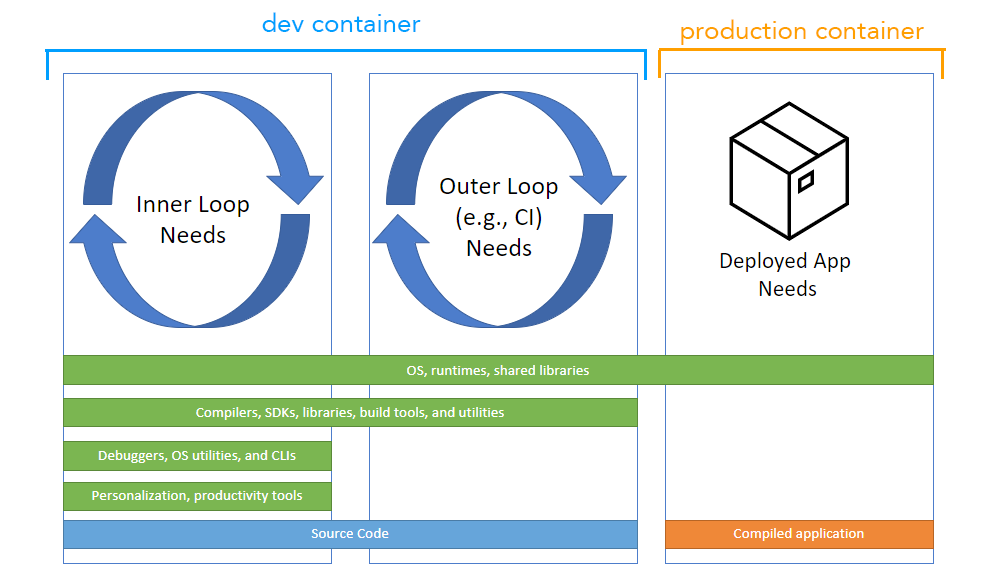
Dev Containers are isolated, reproducible development environments defined with Docker and a .devcontainer.json configuration file. Instead of relying on whatever’s installed on your local machine, you develop inside a container that mirrors production exactly.
Key Components
- Dockerfile — defines the base image and setup instructions
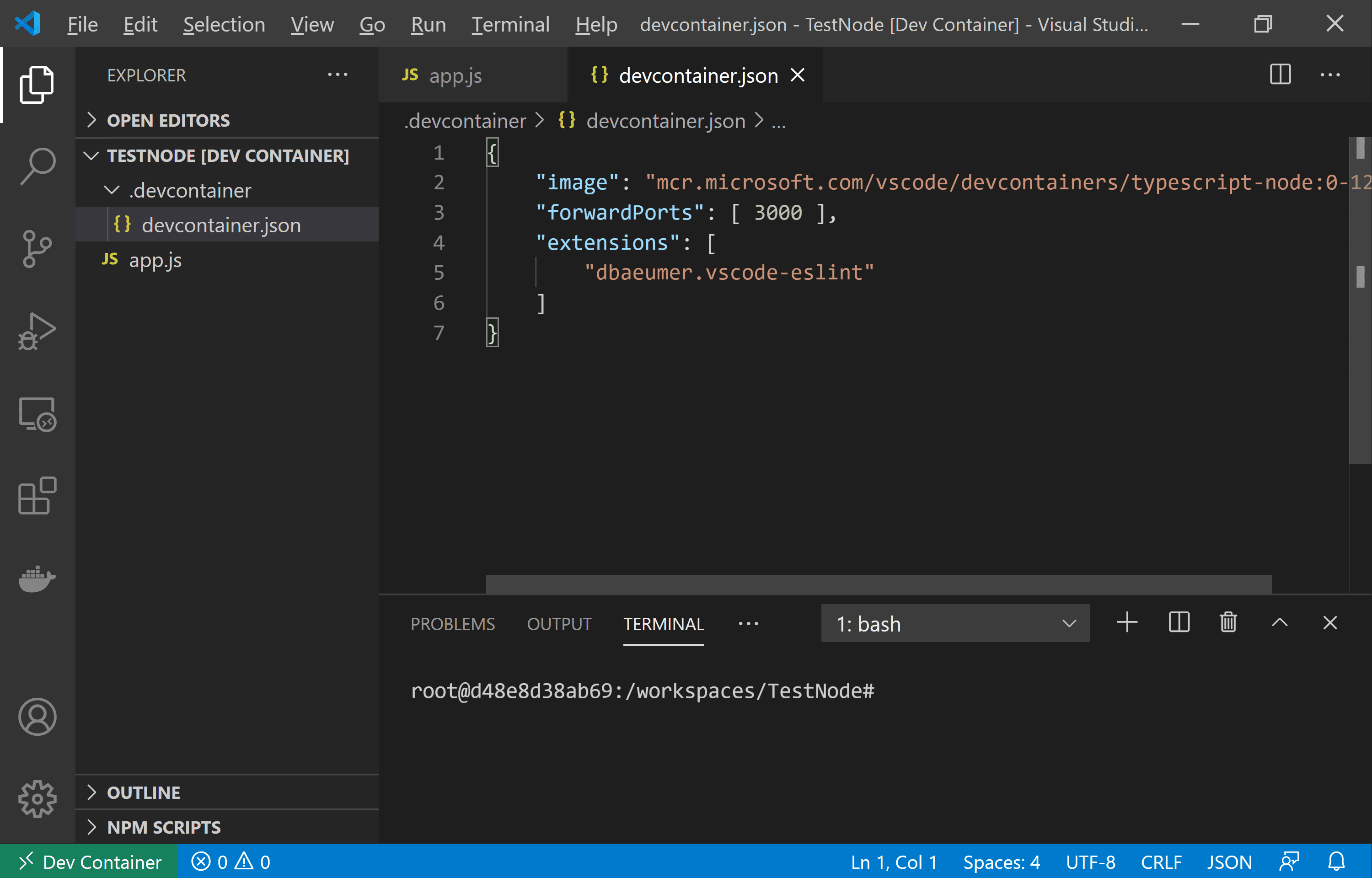
- .devcontainer.json — specifies container config, VS Code extensions, and post-setup commands
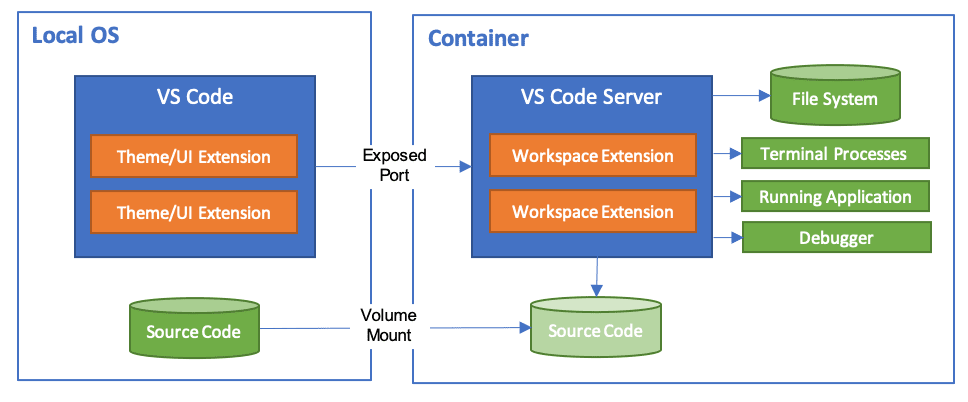
- Volume Mounting — maps your source code into the container
- Remote Development — your IDE connects to the container as if it were local
Why Dev Containers Matter
Day-One Environment Consistency
When you know production runs Linux, developing inside a Linux container from day one eliminates an entire class of bugs. You know exactly what packages are installed, how the system behaves, and what your dependency tree looks like. No more “works on my machine” surprises.
Seamless Onboarding
New team members clone the repo, open it in a Dev Container, and they’re contributing within minutes — not hours. The Python version, dependencies, and IDE extensions are all pre-configured. I’ve seen onboarding time drop from half a day to under ten minutes with this setup.
Cross-Machine Uniformity
Whether your team uses Windows, macOS, or Linux, everyone gets the same development experience. This matters enormously for distributed teams where environment drift causes subtle, hard-to-trace bugs.
Reduced Debugging Time
By catching platform-specific issues at development time rather than deployment time, you shift problem-solving left in the cycle — where it’s cheapest to fix.
Setting Up a Python Dev Container
Here’s the minimal setup I use for Python projects:
Dockerfile
| |
.devcontainer/devcontainer.json
| |
Useful Commands
- Open in container (VS Code):
Ctrl+Shift+P → Dev Containers: Open Folder in Container - Rebuild container:
Ctrl+Shift+P → Dev Containers: Rebuild Container - Run manually:
docker build -t my-python-dev .docker run -it -v $(pwd):/workspace my-python-dev bash - Debug Python inside container:
Configure
launch.jsonwith:
| |
IDE Support
Visual Studio Code
VS Code has native Dev Container support through the Dev Containers extension. It handles reopening folders in containers, installing extensions inside them, and seamless Python debugging.
VS Code Dev Containers Documentation
JetBrains PyCharm
PyCharm supports Docker-based interpreters and remote development:
- Containerized Python interpreter
- Running and debugging inside containers
- Docker Compose integration
The Bottom Line
Dev Containers aren’t just a convenience — they’re a strategic decision. They eliminate environment drift, slash onboarding time, and catch deployment bugs before they reach production.
If you’re a Python developer deploying to Linux (or really any developer dealing with environment mismatches), give Dev Containers a try. The thirty minutes you spend setting up .devcontainer.json will save you hours of “it works on my machine” debugging down the road.