A full-stack app is usually three terminals and a prayer: API in one, front-end in another, database somewhere, and a tangle of ports and CORS rules holding it together. .NET Aspire collapses that into a single project graph. Declare the pieces, hit F5, and Aspire starts everything, wires the references, and hands you a dashboard.
Here’s the whole build — an ASP.NET Core TODO API, SQLite for storage, and a React front-end on Vite — assembled the Aspire way.
By the way — once this stack is running, dropping a local LLM into it is almost free. See Local AI Models in .NET, Wired Up by Aspire for the Ollama side of the same pattern.
What you need
- .NET 9.0
- Node.js
- VS Code with the C# Dev Kit
- A container runtime (Docker / Podman)
Install Aspire
As of version 9, Aspire is a CLI tool — no separate workload to install.
1
2
| # Windows
iex "& { $(irm https://aspire.dev/install.ps1) }"
|
1
2
| # Linux / macOS
curl -sSL https://aspire.dev/install.sh | bash -s
|
Create the Aspire app
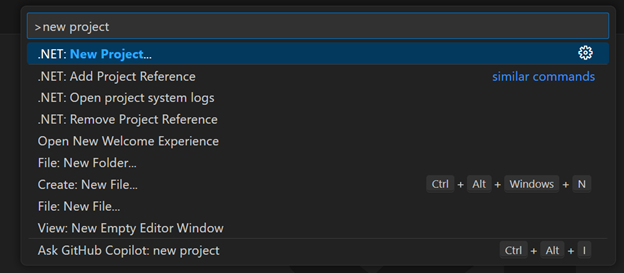
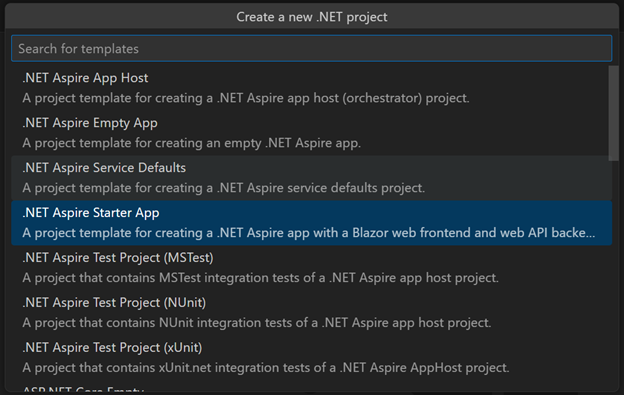
From the VS Code command palette, pick .NET: New Project, choose the Aspire Starter App template, name it TodojsAspire, and drop it in a src folder.
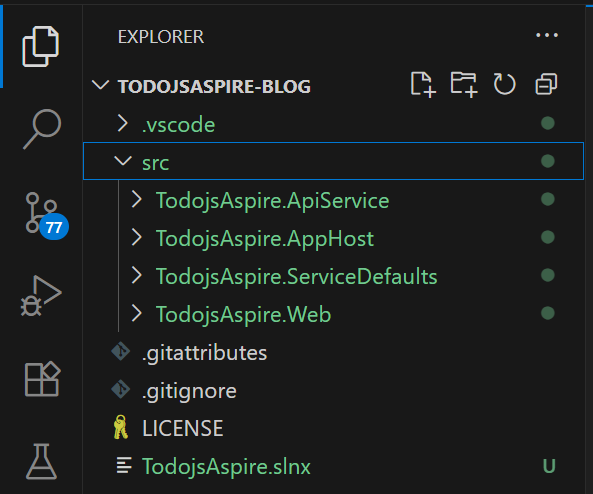
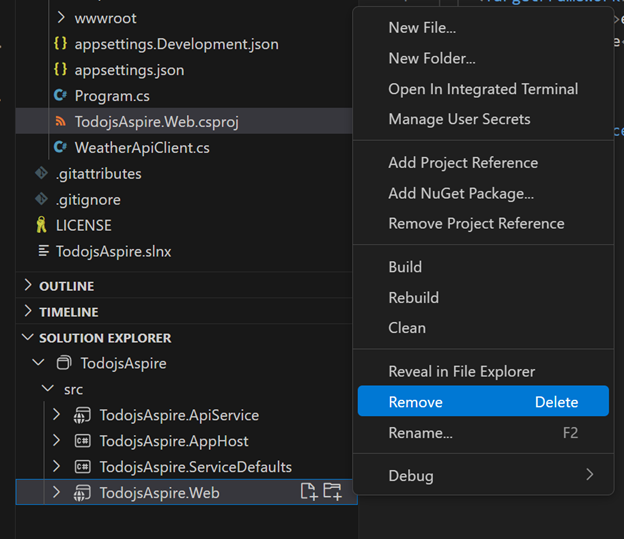
The template gives you an AppHost (the orchestrator), an ApiService, and a Blazor Web project. We’re bringing our own React front-end, so delete the TodojsAspire.Web project from Solution Explorer.
The API: model first
A TODO is an id, a title, a done flag, and a position for ordering.
 1
 2
 3
 4
 5
 6
 7
 8
 9
10
11
12
| using System.ComponentModel.DataAnnotations;
namespace TodojsAspire.ApiService;
public class Todo
{
public int Id { get; set; }
[Required]
public string Title { get; set; } = default!;
public bool IsComplete { get; set; } = false;
[Required]
public int Position { get; set; } = 0;
}
|
Don’t hand-write the CRUD. Scaffold it.
1
| dotnet tool install --global Microsoft.dotnet-scaffold
|
That generates TodoEndpoints.cs with the standard create/read/update/delete. Reordering is the one thing scaffolding won’t guess, so add it. The whole trick is a tuple swap of two Position values:
 1
 2
 3
 4
 5
 6
 7
 8
 9
10
11
12
13
14
15
16
17
18
19
| group.MapPost("/move-up/{id:int}", async Task<Results<Ok, NotFound>> (int id, TodoDbContext db) =>
{
var todo = await db.Todo.FirstOrDefaultAsync(t => t.Id == id);
if (todo is null)
{ return TypedResults.NotFound(); }
var prevTodo = await db.Todo
.Where(t => t.Position < todo.Position)
.OrderByDescending(t => t.Position)
.FirstOrDefaultAsync();
if (prevTodo is null)
{ return TypedResults.Ok(); }
(todo.Position, prevTodo.Position) = (prevTodo.Position, todo.Position);
await db.SaveChangesAsync();
return TypedResults.Ok();
})
.WithName("MoveTaskUp");
|
move-down is the same shape with the comparison flipped.
Create the initial migration, then add SQLite to the app graph.
1
2
| dotnet ef migrations add TodoEndpointsInitialCreate
aspire add sqlite
|
Wire it into AppHost.cs — the API gets a reference to the db and a health check:
 1
 2
 3
 4
 5
 6
 7
 8
 9
10
| var builder = DistributedApplication.CreateBuilder(args);
var db = builder.AddSqlite("db")
.WithSqliteWeb();
var apiService = builder.AddProject<Projects.TodojsAspire_ApiService>("apiservice")
.WithReference(db)
.WithHttpHealthCheck("/health");
builder.Build().Run();
|
Add the EF Core integration package:
1
| dotnet add package CommunityToolkit.Aspire.Microsoft.EntityFrameworkCore.Sqlite
|
And run migrations automatically on startup in Program.cs, so a fresh checkout just works:
1
2
3
| using var scope = app.Services.CreateScope();
var dbContext = scope.ServiceProvider.GetRequiredService<TodoDbContext>();
await dbContext.Database.MigrateAsync();
|
Exercise the API
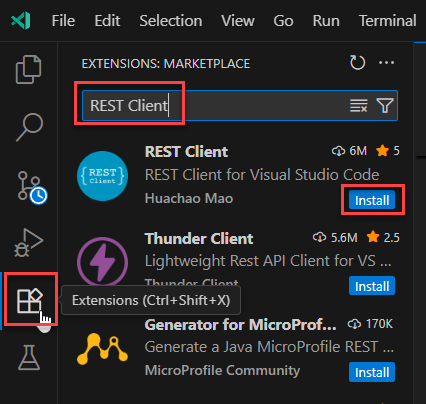
Install the REST Client extension and poke the endpoints from a .http file — no Postman, no browser juggling.
 1
 2
 3
 4
 5
 6
 7
 8
 9
10
11
12
| @todoapibaseurl = https://localhost:7473
GET {{todoapibaseurl}}/Todo/
POST {{todoapibaseurl}}/Todo/
Content-Type: application/json
{
"title": "Sample Todo",
"isComplete": false,
"position": 1
}
|
Tidy the API while you’re here: sort the GET by Position, and auto-assign the next position on create so the client never has to.
Hit Ctrl+F5. Aspire boots the API and the database together and opens the dashboard.
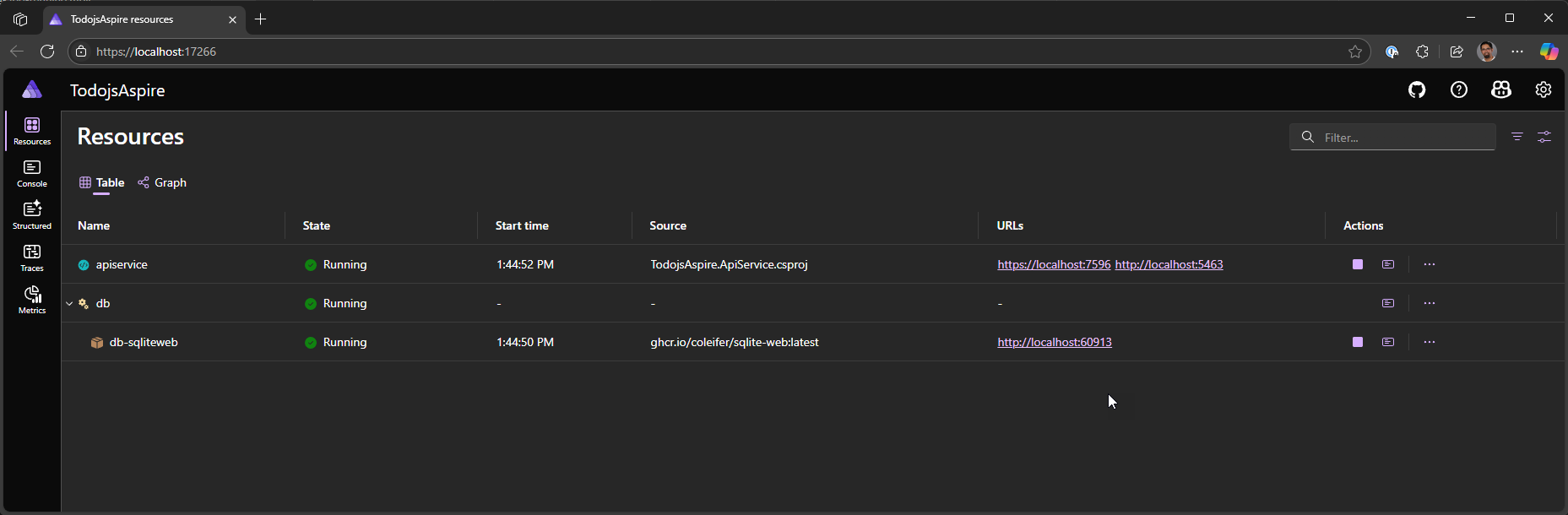
The dashboard is the payoff: live logs, traces, and environment config for every resource, plus stop/start/restart buttons. One place, whole system.
The React front-end
Scaffold a Vite React app, then teach Aspire about Node and the Community Toolkit extensions.
1
2
3
| npm create vite@latest todo-frontend -- --template react
aspire add nodejs
aspire add ct-extensions
|
Add the Vite app to AppHost.cs. WithReference(apiService) injects the API’s address as an environment variable; WaitFor holds the front-end until the API is healthy; WithNpmPackageInstallation runs npm install for you.
1
2
3
4
| builder.AddViteApp(name: "todo-frontend", workingDirectory: "../todo-frontend")
.WithReference(apiService)
.WaitFor(apiService)
.WithNpmPackageInstallation();
|
The proxy is what makes the front-end blind to where the API lives. Vite reads the address Aspire injected and forwards /api/* to it:
 1
 2
 3
 4
 5
 6
 7
 8
 9
10
11
12
13
14
15
16
17
18
19
20
21
| import { defineConfig, loadEnv } from 'vite'
import react from '@vitejs/plugin-react'
export default defineConfig(({ mode }) => {
const env = loadEnv(mode, process.cwd(), '');
return {
plugins: [react()],
server:{
port: parseInt(env.VITE_PORT),
proxy: {
'/api': {
target: process.env.services__apiservice__https__0 || process.env.services__apiservice__http__0,
changeOrigin: true,
secure: false,
rewrite: (path) => path.replace(/^\/api/, '')
}
}
}
}
})
|
The components
A single task — text plus delete and reorder buttons:
 1
 2
 3
 4
 5
 6
 7
 8
 9
10
11
12
13
14
15
16
17
18
19
| function TodoItem({ task, deleteTaskCallback, moveTaskUpCallback, moveTaskDownCallback }) {
return (
<li aria-label="task">
<span className="text">{task}</span>
<button type="button" aria-label="Delete task" className="delete-button"
onClick={() => deleteTaskCallback()}>
🗑️
</button>
<button type="button" aria-label="Move task up" className="up-button"
onClick={() => moveTaskUpCallback()}>
⇧
</button>
<button type="button" aria-label="Move task down" className="down-button"
onClick={() => moveTaskDownCallback()}>
⇩
</button>
</li>
);
}
|
The list owns the state and every API call. Note the fetch("/api/Todo") — no host, no port. The proxy handles it.
 1
 2
 3
 4
 5
 6
 7
 8
 9
10
11
12
13
14
15
16
17
18
19
20
21
22
23
24
25
26
27
28
29
30
31
32
33
34
35
36
37
38
39
40
41
42
| import { useState, useEffect } from 'react';
import TodoItem from './TodoItem';
function TodoList() {
const [todos, setTodo] = useState([]);
const [newTaskText, setNewTaskText] = useState('');
const getTodo = async ()=>{
fetch("/api/Todo")
.then(response => response.json())
.then(json => setTodo(json))
.catch(error => console.error('Error fetching todos:', error));
}
useEffect(() => {
getTodo();
},[]);
async function addTask(event) {
event.preventDefault();
if (newTaskText.trim()) {
const result = await fetch("/api/Todo", {
method: "POST",
headers: { "Content-Type": "application/json" },
body: JSON.stringify({ title: newTaskText, isCompleted: false })
})
if(result.ok){ await getTodo(); }
setNewTaskText('');
}
}
async function deleteTask(id) {
const result = await fetch(`/api/Todo/${id}`, { method: "DELETE" });
if(result.ok){ await getTodo(); }
}
async function moveTaskUp(index) {
const todo = todos[index];
const result = await fetch(`/api/Todo/move-up/${todo.id}`, { method: "POST" });
if(result.ok){ await getTodo(); }
}
}
|
Mount it in App.jsx:
1
2
3
4
5
| import TodoList from "./components/TodoList"
function App() {
return <TodoList />
}
|
And give index.html a <main> root:
 1
 2
 3
 4
 5
 6
 7
 8
 9
10
| <!doctype html>
<html lang="en">
<head>
<title>TODO app</title>
</head>
<body>
<main></main>
<script defer type="module" src="/src/main.jsx"></script>
</body>
</html>
|
Run the whole thing
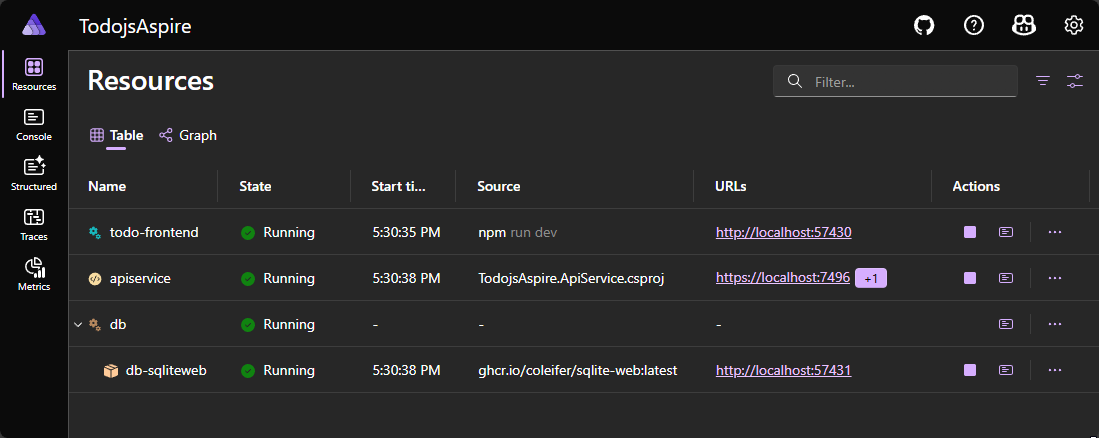
F5 again. Now the dashboard shows all three resources — React front-end, API, and SQLite — started in dependency order.
Final thought
The point isn’t the TODO app — it’s that the API never hardcoded a database path, the front-end never hardcoded an API URL, and nothing needed a fourth terminal. Aspire owns the wiring; each piece just declares what it depends on. The result publishes to any host that runs ASP.NET Core, Linux containers included.
Full source: sayedihashimi/todojsaspire.
Adapted from Sayed Ibrahim Hashimi’s Building a Full-Stack App with React and Aspire on the .NET Blog. Images and videos are from the original post.